
Contents
- Why Codex wants a phone number
- Which numbers don’t work
- What is HeroSMS
- Step 1: Sign up and add funds
- Step 2: Search for the service
- Click Get code on the home page
- Step 3: Choose the country and verification type
- Step 4: Copy the number
- Step 5: Back in Codex, enter the number
- Step 6: Back in HeroSMS, wait for the code
- No code, or an error?
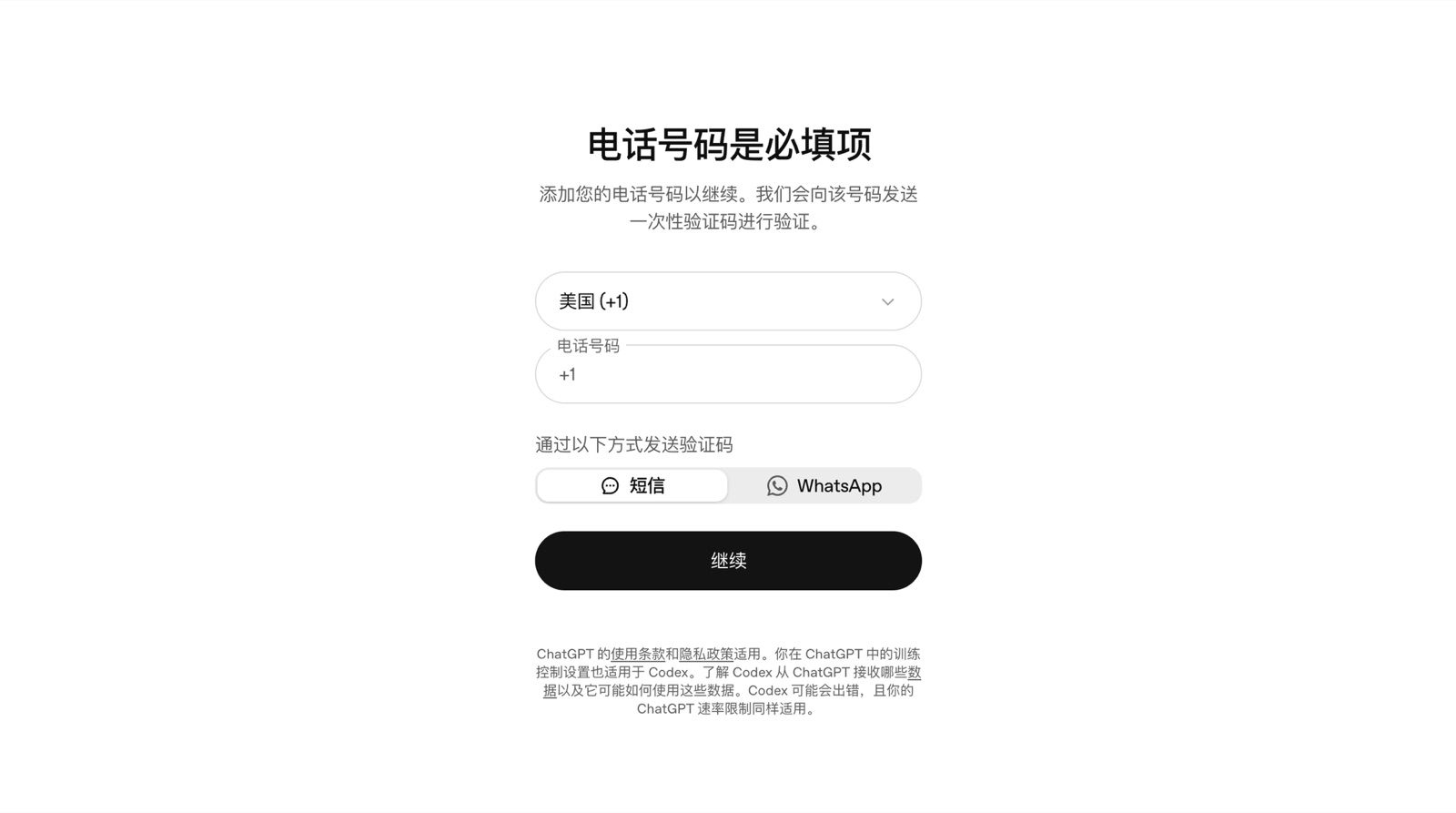
ChatGPT on the web was working fine, but as soon as I opened Codex it popped up “Phone number is required”, with the dropdown defaulting to US +1. Most people’s first instinct is to find a US phone number or use Google Voice. In the end I bought a US number for $0.66 on the SMS verification platform HeroSMS. This post explains which numbers work and walks through every step.
Why Codex wants a phone number
The OpenAI help center is clear: you generally don’t need a phone number to create an OpenAI account or use ChatGPT, but using Codex in the ChatGPT desktop app may require verification. Codes can only be sent by text or WhatsApp; email and authenticator apps can’t stand in for this step.
The dropdown defaults to the US, but it doesn’t have to be a US number; any number from a region OpenAI supports works. Mainland China isn’t supported, so +86 numbers won’t go through. If you’re abroad with a local SIM, using your own number is the easiest.
Which numbers don’t work
OpenAI explicitly doesn’t support landlines, VoIP, Google Voice or premium-rate numbers, because those get abused the most. So trying Google Voice is basically a waste of time; you need a real carrier mobile number.
If you don’t have an overseas number, you can rent one temporarily from an SMS verification platform to receive the code. I used HeroSMS.
What is HeroSMS
HeroSMS is the new platform that took over after the long-running SMS-Activate shut down. It sells numbers per use: you buy a number and it receives one verification code for you. It covers lots of countries and services, OpenAI included.
The refund rules are fairly friendly. Two minutes after buying, you can cancel manually and get your money back to your balance if no code arrived. If no code arrives within 20 minutes, it refunds automatically. Once a code arrives, the purchase counts as successful and isn’t refunded.
Step 1: Sign up and add funds
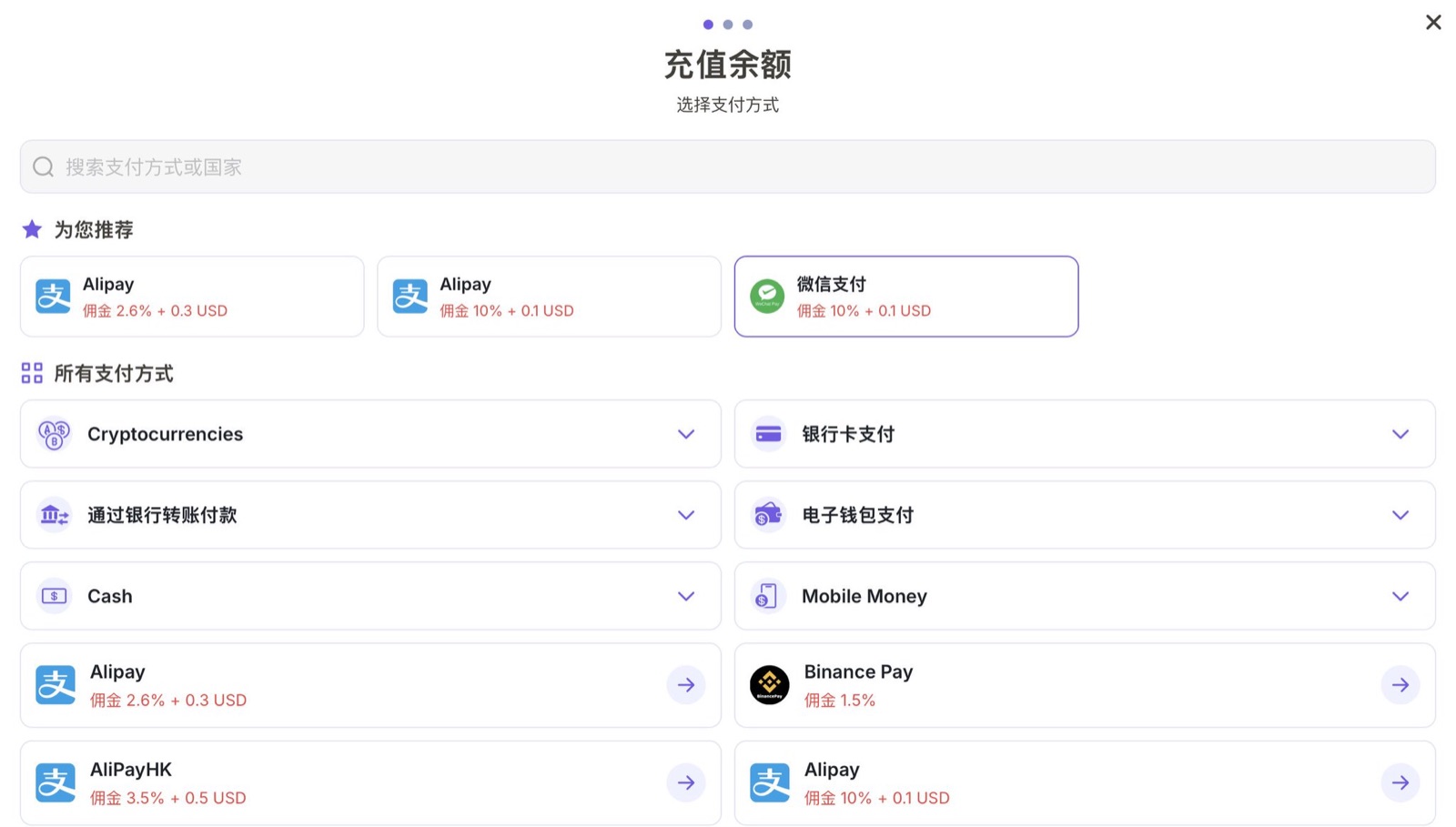
Go to hero-sms.com, create an account, then click Top up at the top right. A US number costs under a dollar, so about $3 covers several tries. You can pay with Alipay.
Step 2: Search for the service
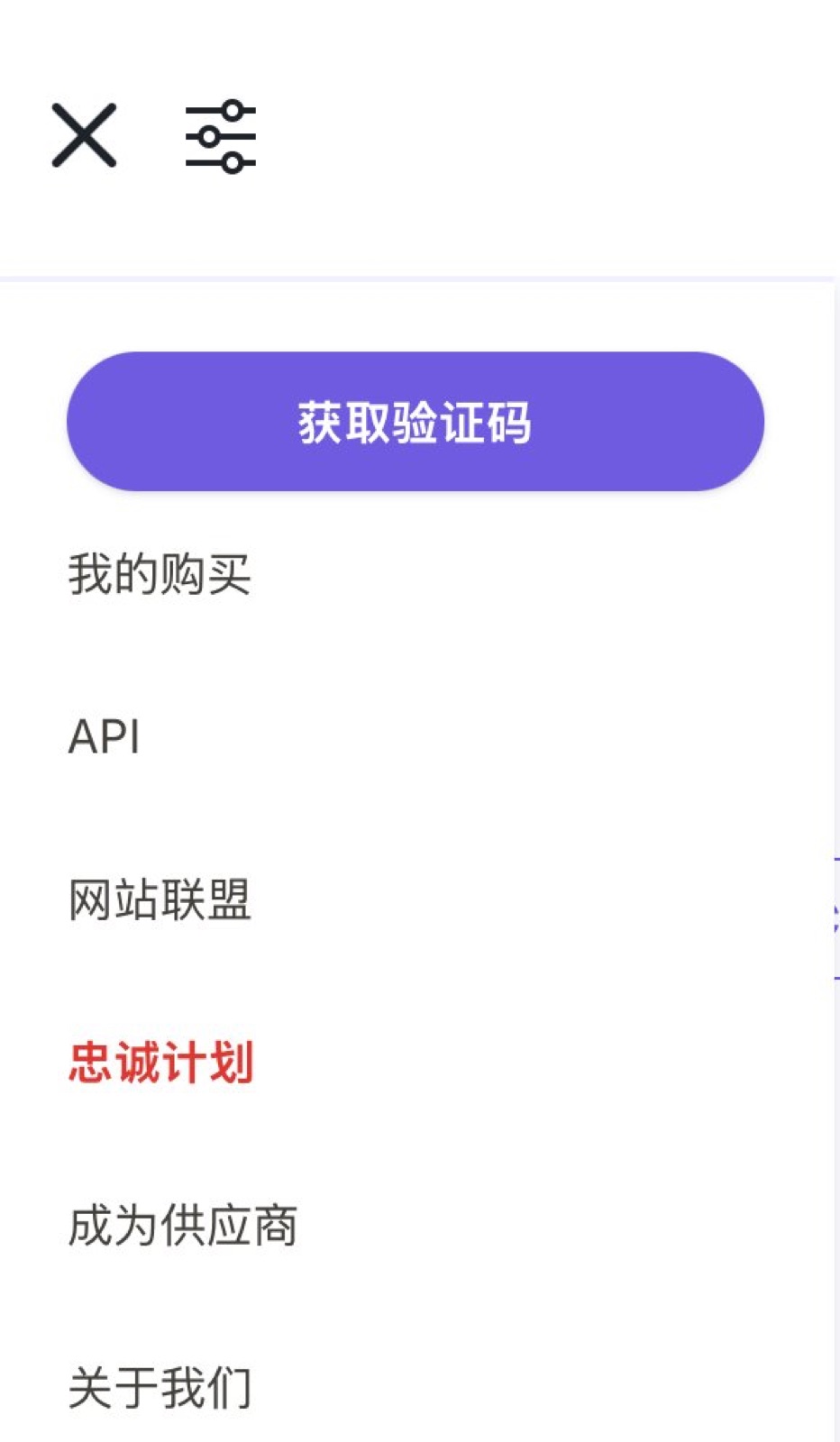
Click Get code on the home page
Open the service picker and search for ChatGPT or OpenAI; the service is listed as OpenAI.
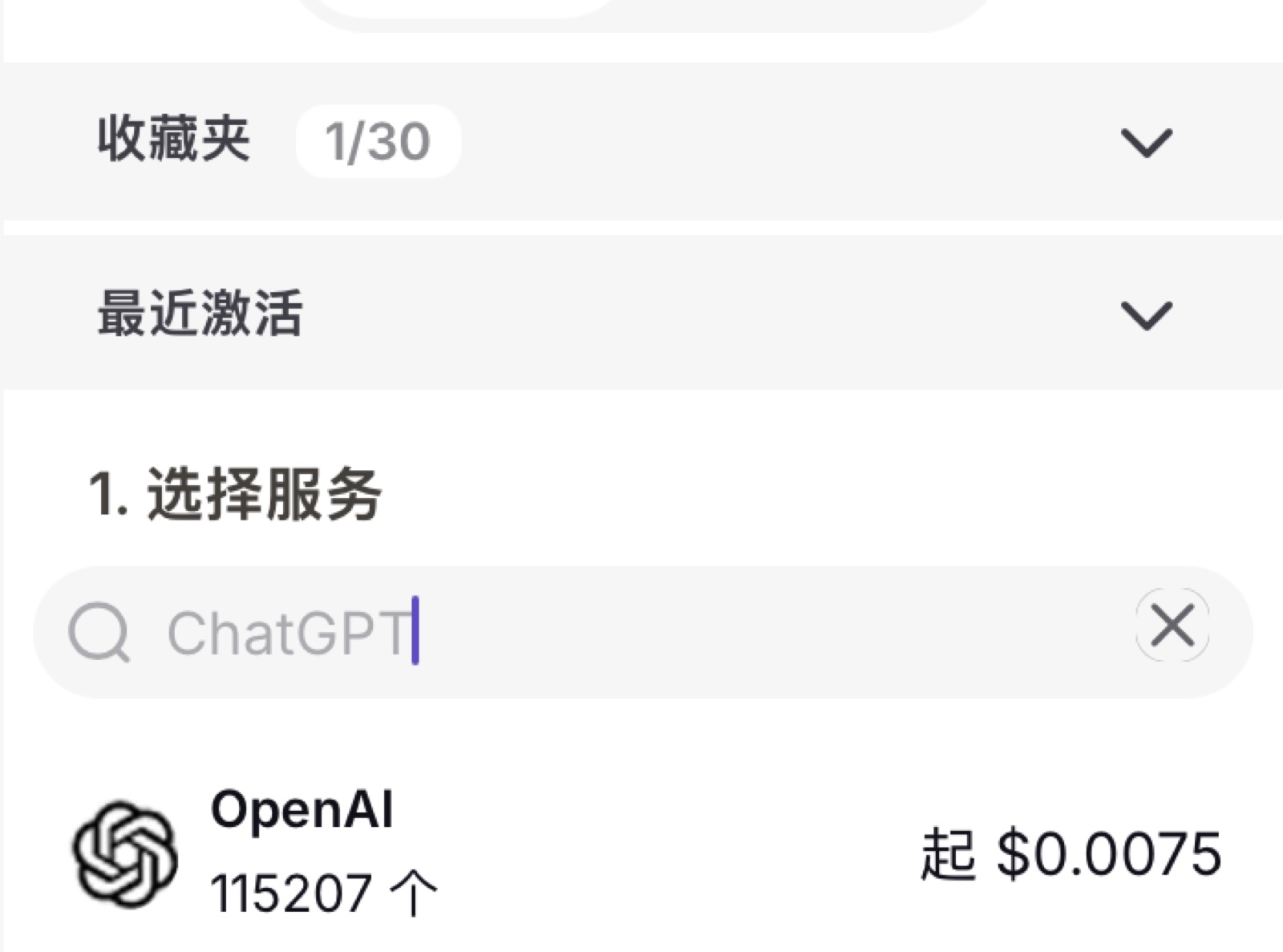
Step 3: Choose the country and verification type
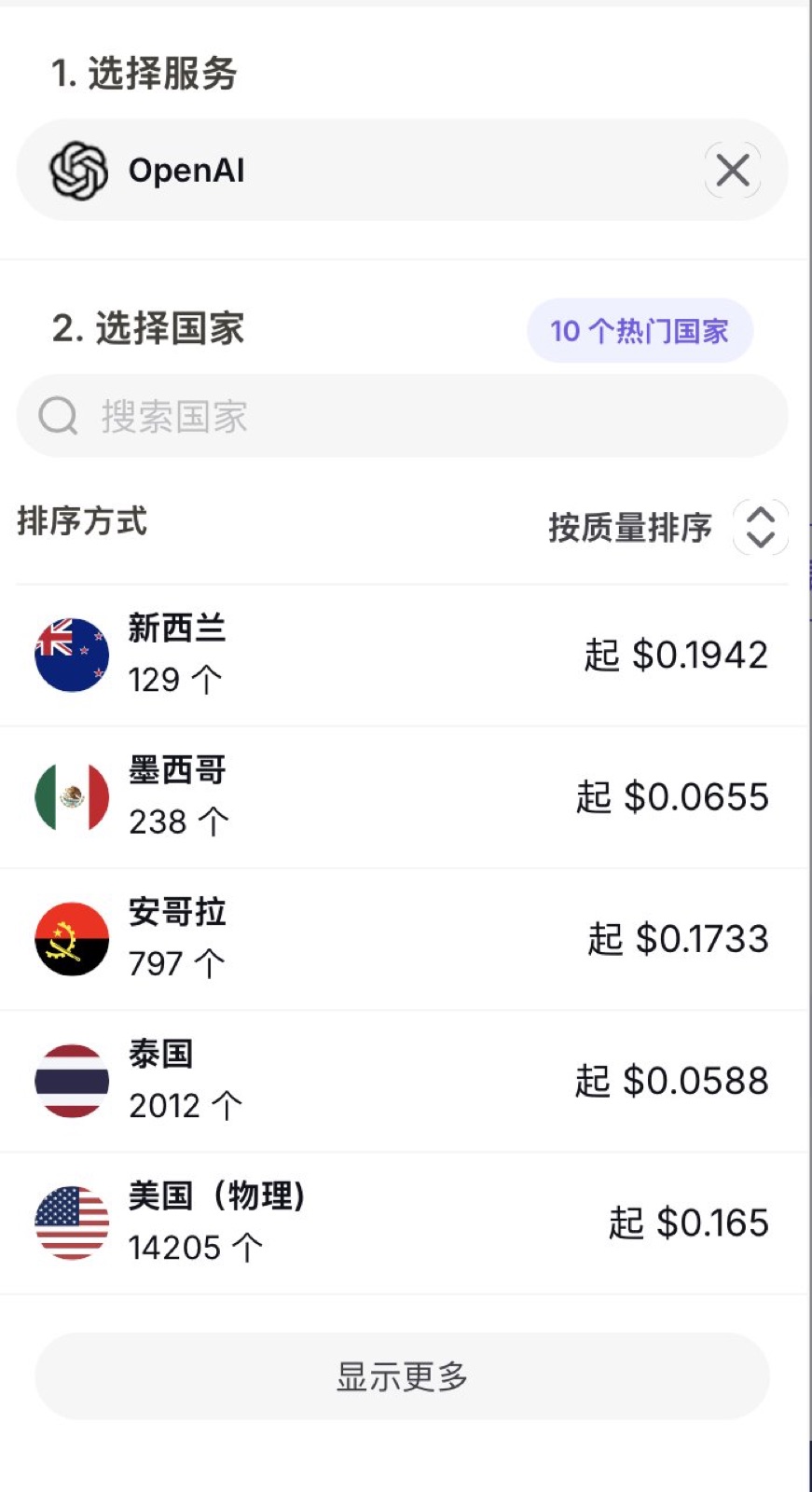
In the country picker, click the 10 popular countries on the right to see the common ones. I chose United States (physical). My understanding is that it’s a physical SIM number, which OpenAI is less likely to block as VoIP than a purely virtual number. Cheaper countries don’t always work, so for your first try I’d go straight for the US.
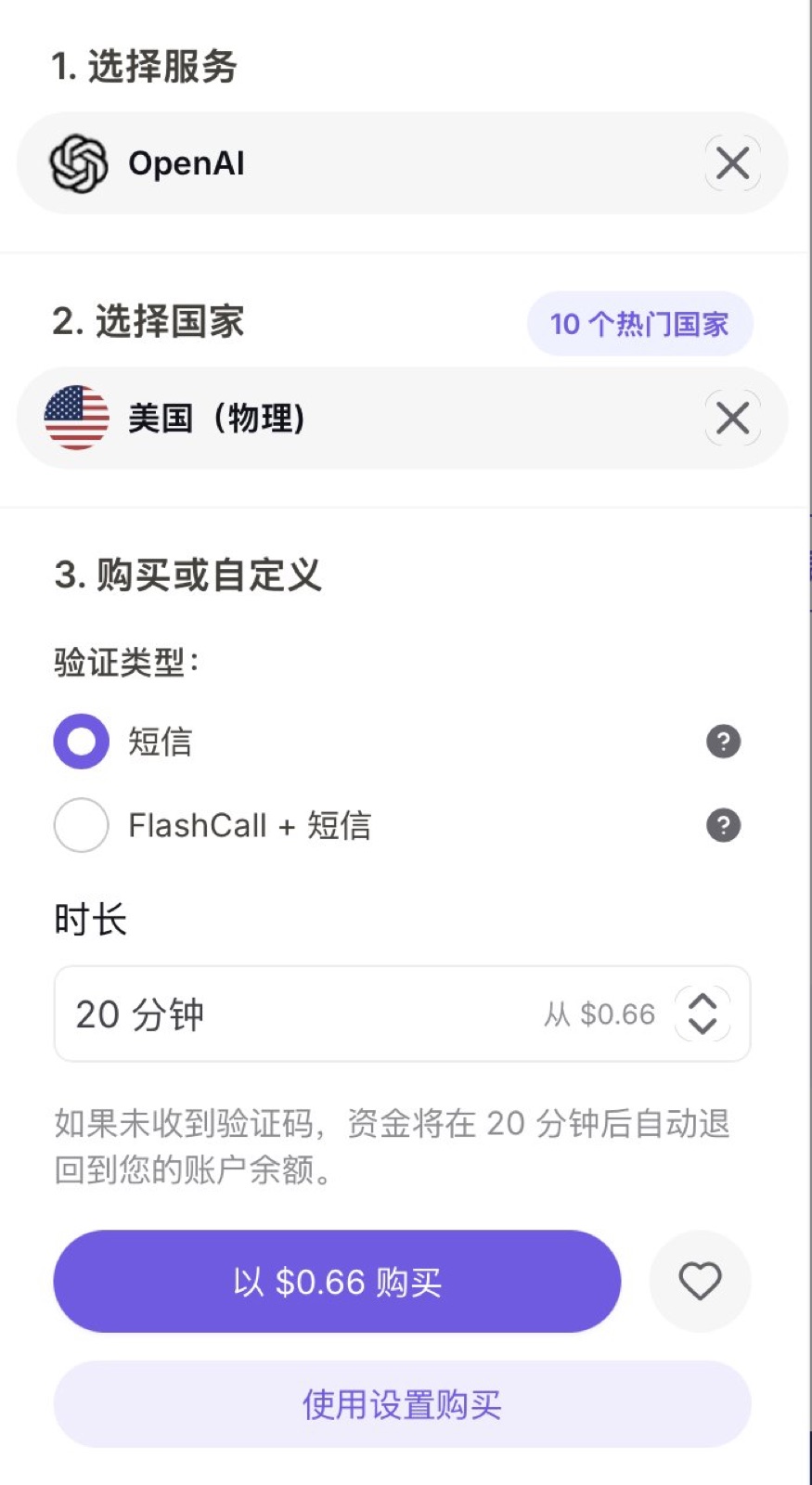
Choose SMS as the verification type; ignore the FlashCall + SMS option. The duration defaults to 20 minutes, and a US number cost $0.66 at the time; the page also says that if no code arrives within 20 minutes, the money goes back to your balance automatically. Click Buy for $0.66. Prices fluctuate, so go by what you see.
Step 4: Copy the number
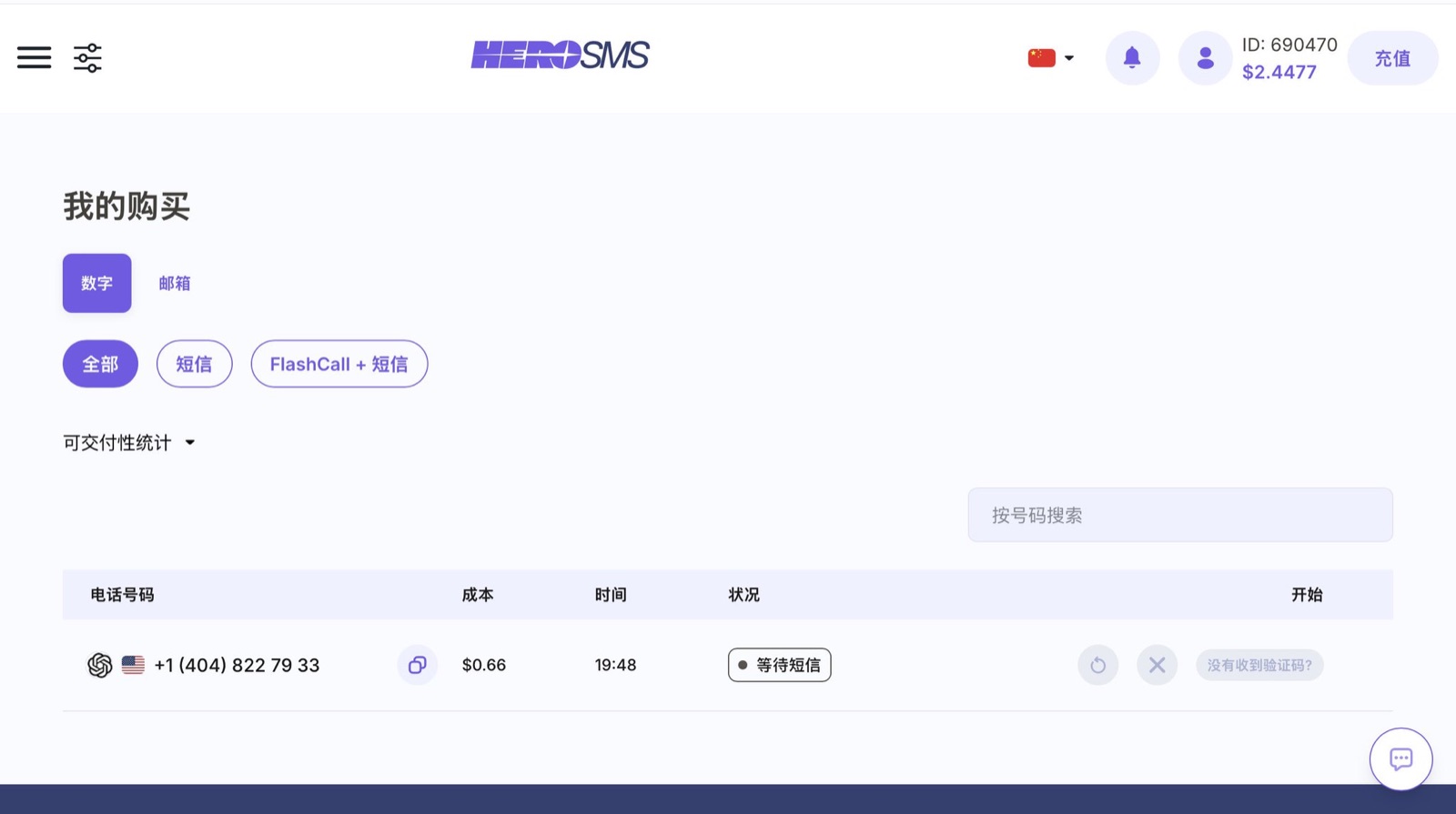
After buying, go to My purchases and you’ll see the number you were assigned, cost $0.66, status Waiting for SMS. Click the copy button next to the number.
Step 5: Back in Codex, enter the number
On the Codex verification page, keep the dropdown on US +1. The number field already includes +1, so if what you pasted also starts with +1, delete the duplicate and keep only the 10 digits after it. For how to send the code, be sure to choose text message: rented numbers don’t have WhatsApp, and if you pick the wrong one the code will never arrive. Click Continue.
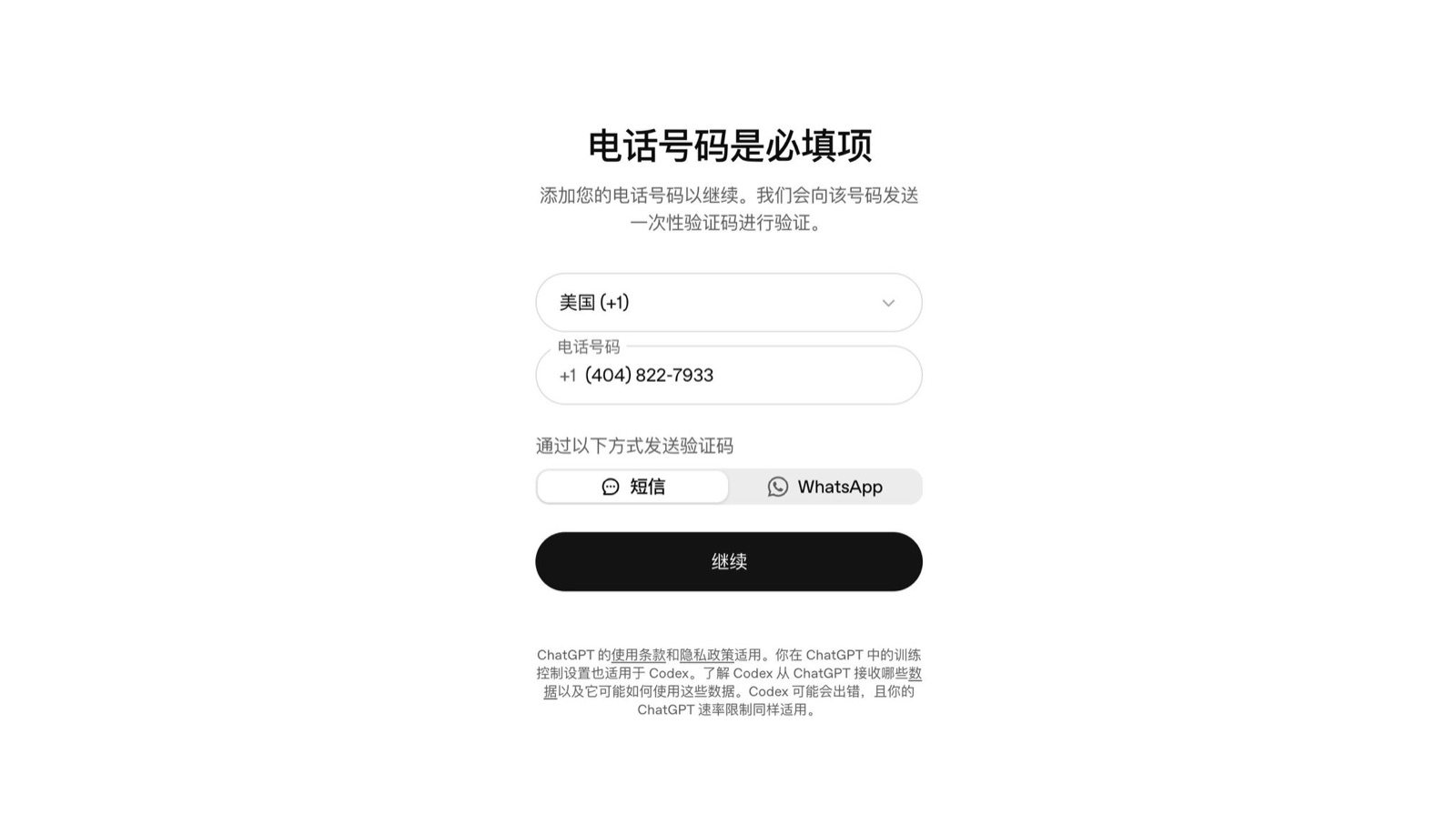
Step 6: Back in HeroSMS, wait for the code
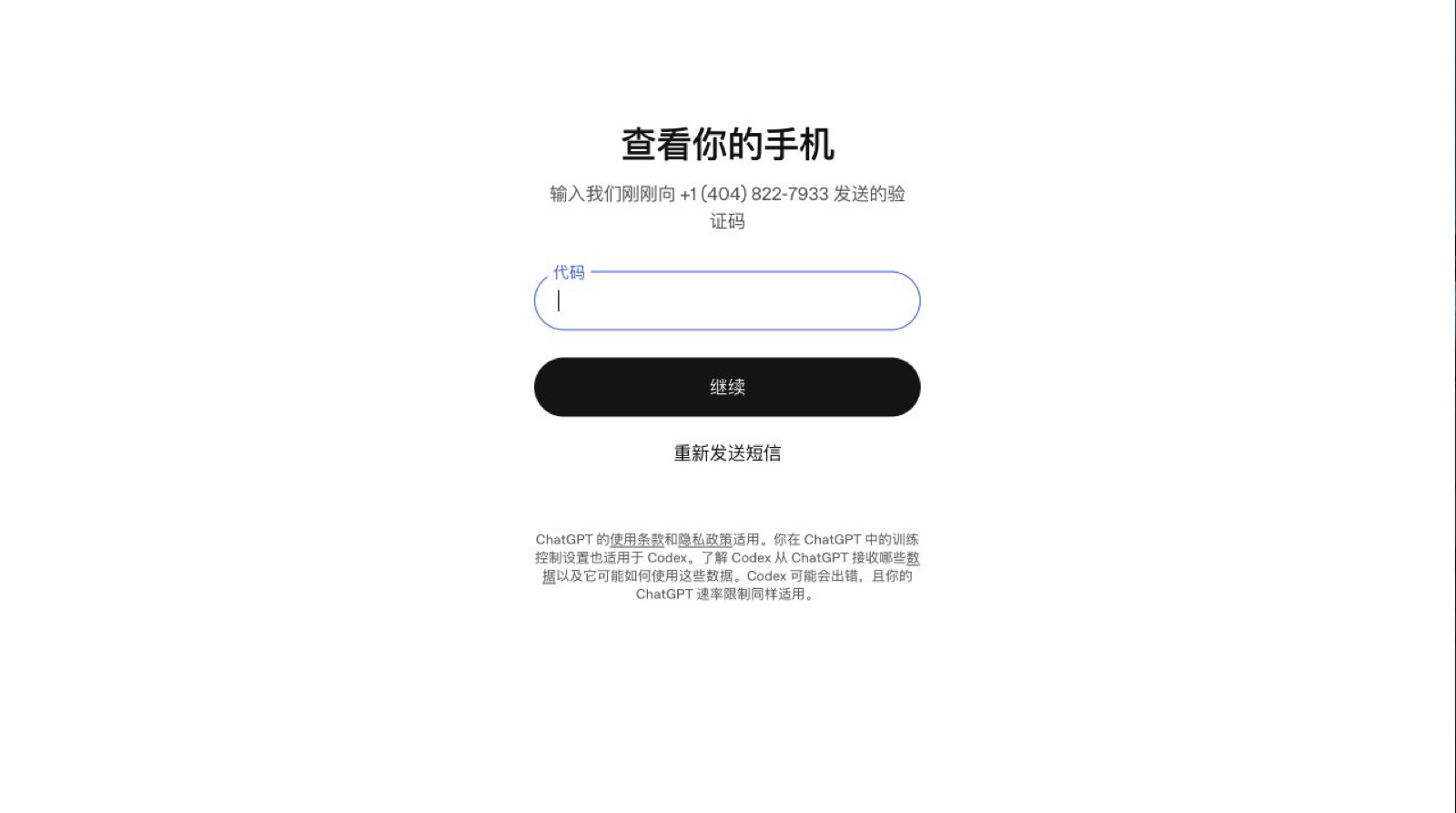
Go back to My purchases in HeroSMS. The status will change from Waiting for SMS to the code itself. Enter it in Codex and you’re done.
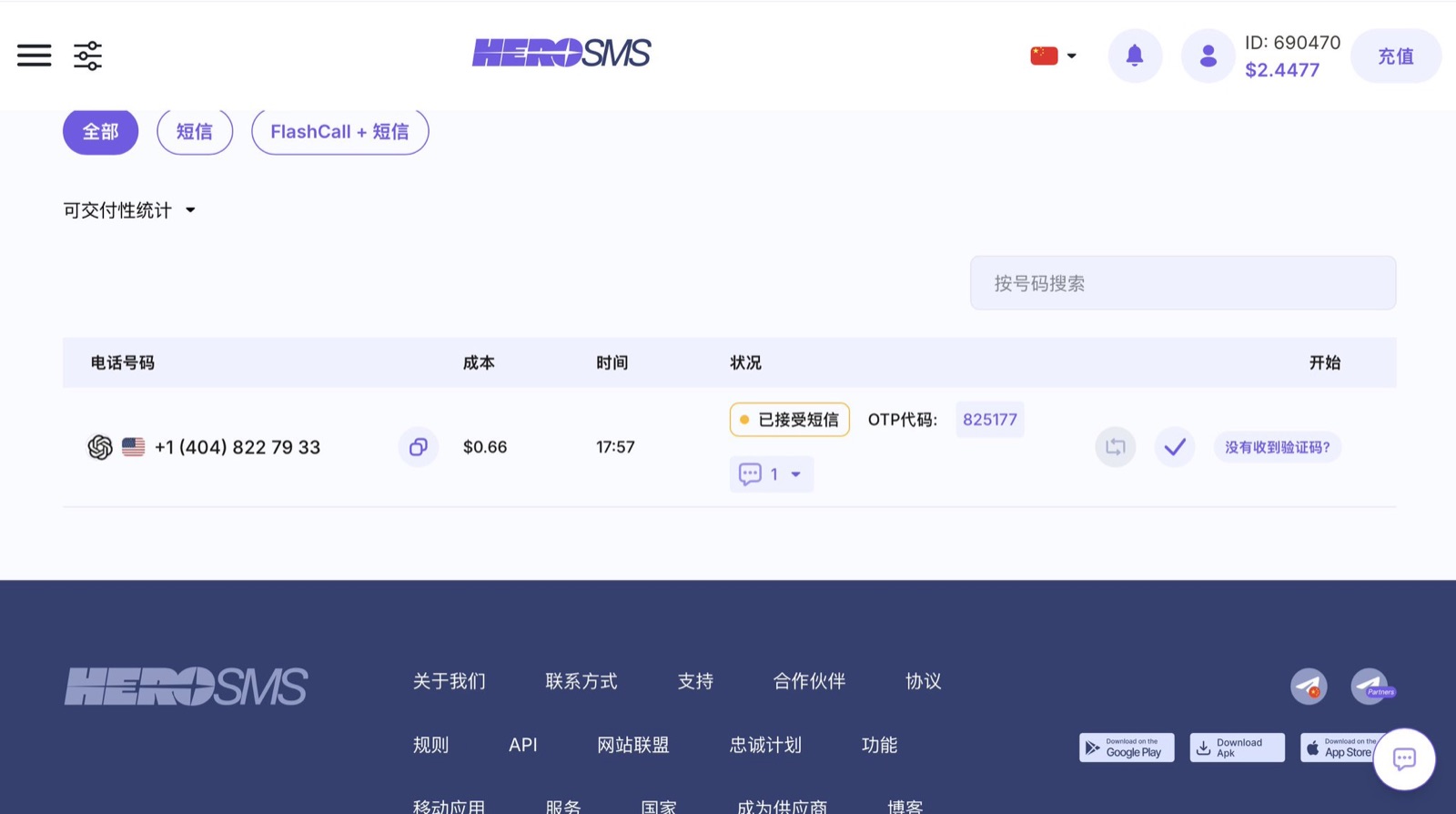
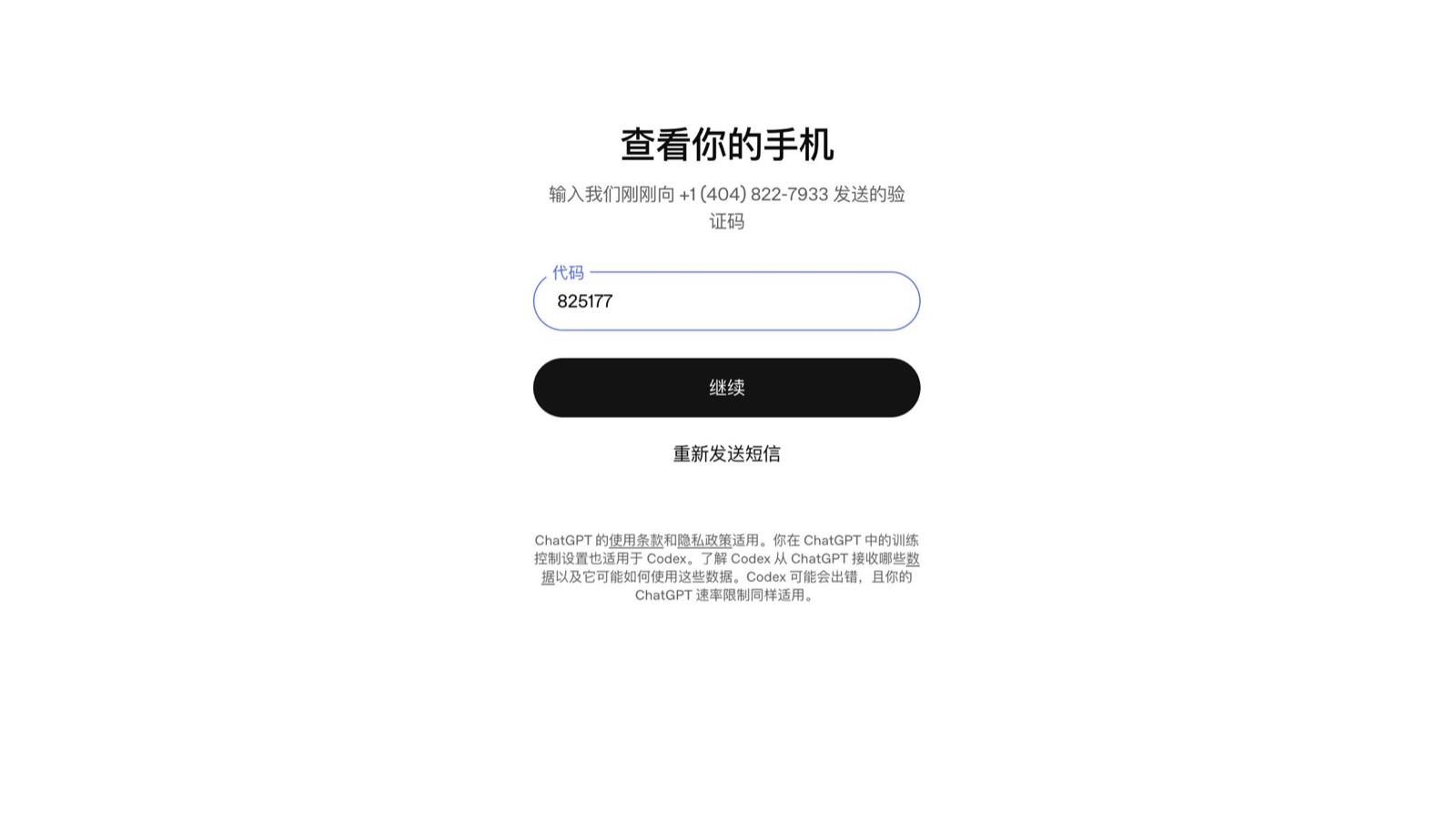
No code, or an error?
If a few minutes pass with no code, cancel the number in HeroSMS, the money goes back to your balance, and buy a different number or try another country.
If it says the number isn’t supported, the number was most likely detected as virtual. Try another country.
If it says the number has reached its limit of linked accounts, someone already used it to verify another OpenAI account. Again, cancel and get another.
When you got stuck at the phone number step, which country’s number did you end up using?