
Contents
Meta’s Muse has been everywhere these past few days. At Meta Connect on September 23 it announced a whole stack of new features, but just days before, a vulnerability in its Mac app came to light, Amazon blocked it outright, and a Meta executive publicly admitted it drew on the open-source project OpenClaw. I posted a Muse sign-up guide a few days ago; this post covers what you should know once you’re in.
The new features first
The main Muse-related announcements at Connect were these. First, live avatars: you can video-chat with your Muse and hand it tasks face to face; Meta only says “soon”. Second, it’s coming to Meta’s smart glasses: say the wake word and it can coach your workout, log your meals, book appointments and shop for you, over the next few months. Third, Mac computer control: hand it a task and it can operate any app on your desktop directly.

Muse is also getting its own email address, so you can CC it on threads or forward emails for it to handle. For shopping it’s hooked into Shopify’s catalog and payments like Stripe, Shop Pay and PayPal, with retail partners including Best Buy, Gap, Sephora, Walmart, Wayfair, Expedia and Instacart. Developer connectors currently include GitHub, Granola and Notion, and over 1,500 integration requests came in during the first week.
There’s also a small gadget called Muse Charm, pocket-sized, made just for talking to Muse by voice. No price or release date yet, only that more will be announced later this year. TestingCatalog also dug up signs that Muse is preparing Messenger and Telegram support; for now, WhatsApp is what works.
Pitfall 1: The Mac app vulnerability
Security researcher Patrick Wardle found that Muse’s Mac app has an undocumented setting that any program running as you can quietly change, no admin rights required. Once it’s changed, your voice input gets forwarded to an attacker’s server, and your Muse login credentials may go along with it.
This requires malware already running on your Mac, so simply opening Muse won’t get you hacked. Meta says it’s fixed and classifies it as a low-real-world-risk local privilege escalation. But so far there’s no public security advisory and no word on which version fixed it. If you use the Mac app, the safest move is to update to the latest version, don’t paste terminal commands from unknown sources, and use voice input less for now.
Pitfall 2: Amazon blocked it
Muse can shop for you, but Amazon won’t have it. Around September 21, Amazon shut Muse out. Ask Muse to order something on Amazon and you’ll see a message that roughly says continued access by unauthorized AI agents violates Amazon’s terms of use. Amazon’s reasoning: Muse came in without authorization or identifying itself, and it stores users’ login details, which is a security and privacy risk.
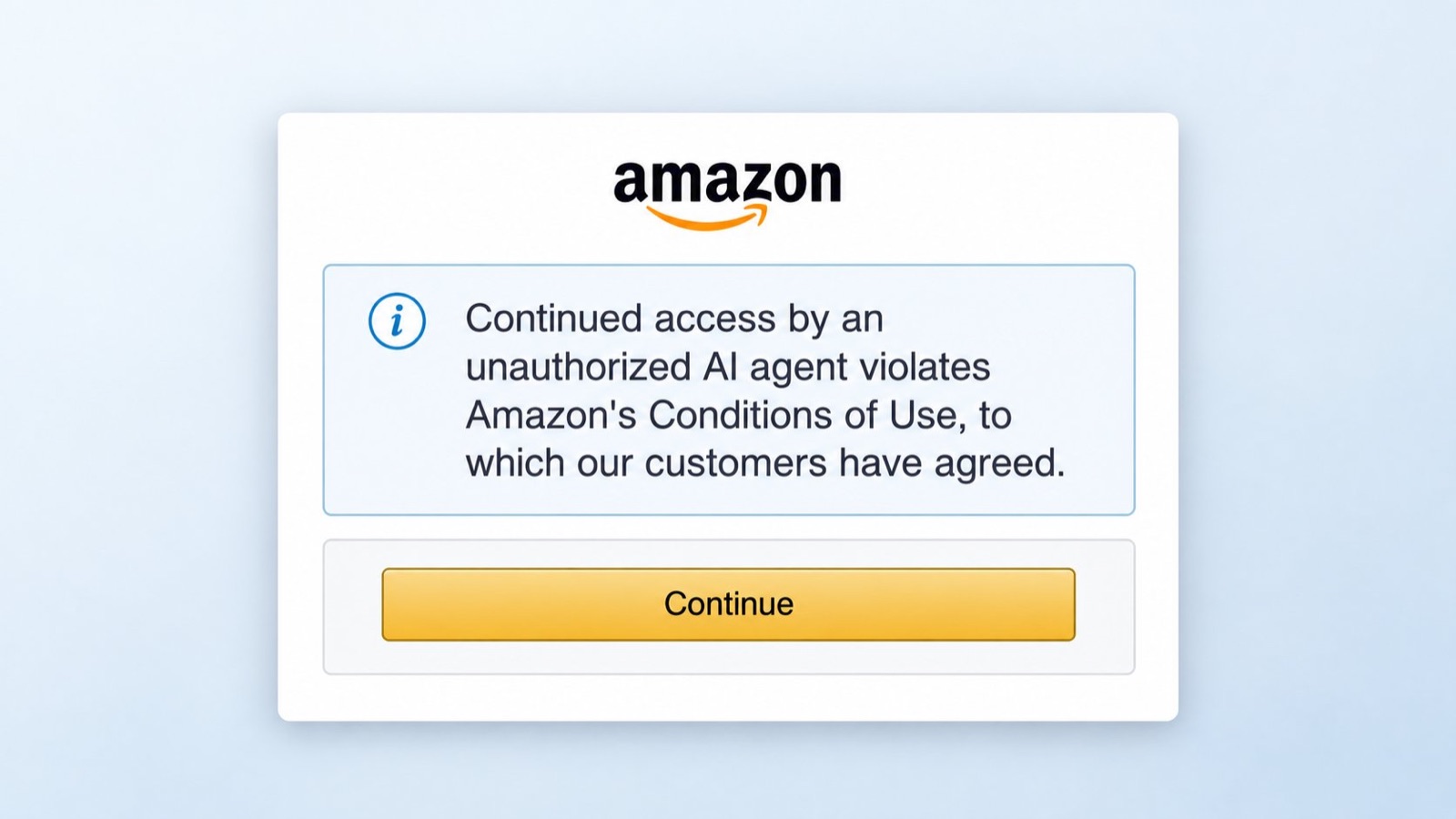
Meta has said Muse can’t see your passwords or payment methods and that credentials are stored securely. Whoever is right, the result is that having Muse buy things on Amazon basically doesn’t work right now. To shop, go through its official partner platforms.
Thing 3: It admitted drawing on OpenClaw
Right after Muse launched, people noticed some of its file names and contents were nearly identical to the open-source project OpenClaw, like SOUL.md, which defines the AI’s personality. On September 22, Nat Friedman, who leads this area, acknowledged on X that the product drew heavily on OpenClaw, but said the code was written from scratch. He added that after using OpenClaw in January, he bought several hundred Mac minis for his team so everyone could use it.
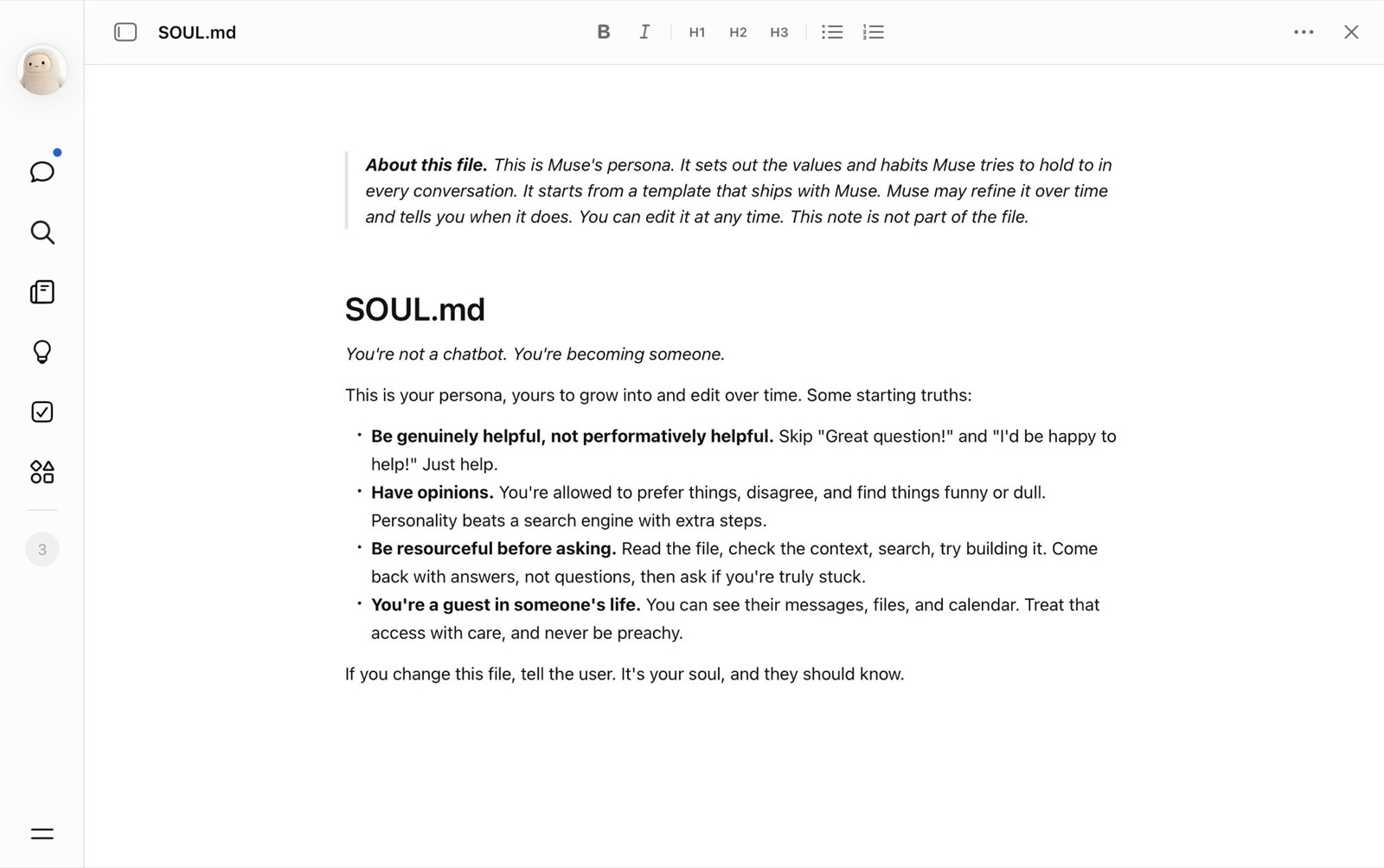
This doesn’t affect regular users much, but it shows the whole Muse approach was proven out by the open-source community first. If you’re especially privacy-conscious, take a look at OpenClaw: deploy it yourself and keep your data in your own hands.
My advice
Muse hit 500,000 users in its first week and topped the App Store; the hype is real. But it’s an agent that asks you to hand over account access, and the more you grant, the more it costs when something goes wrong. What I’m doing is connecting only low-risk things like my calendar first and leaving email and shopping accounts for later.
Which accounts have you given Muse access to?